Toonapp: Cartoon Photo Editor
Lyrebird StudioPhotography
4.512.71K Reviews
- Version
- 3.4.1
- Installs
- 100.00M
- Age Rating
- Everyone
Screenshots
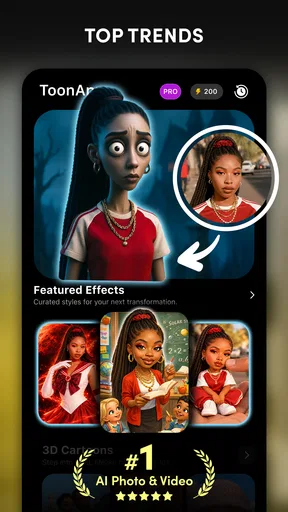
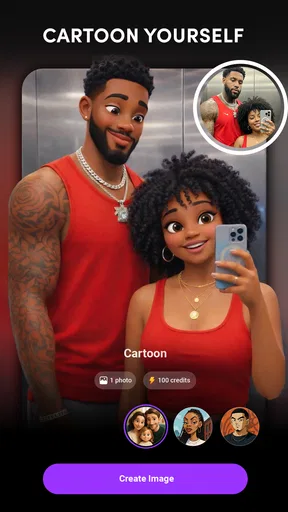
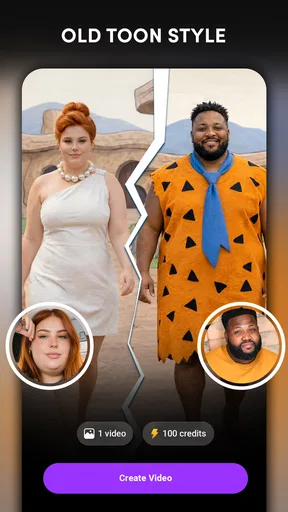
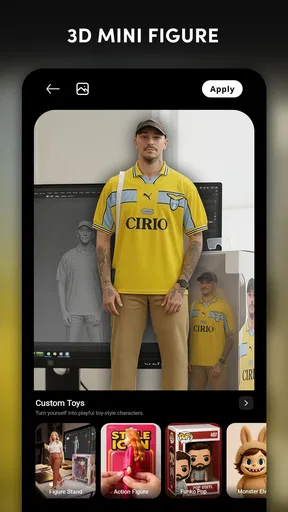
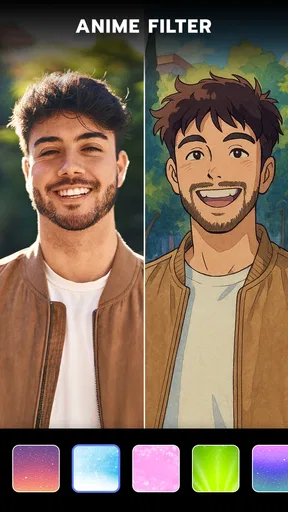
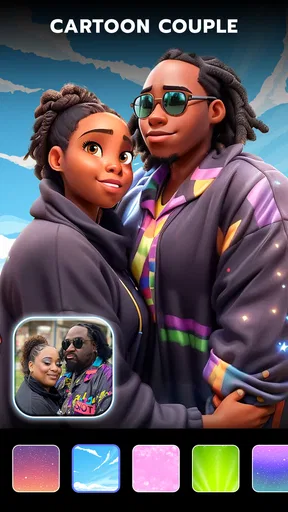
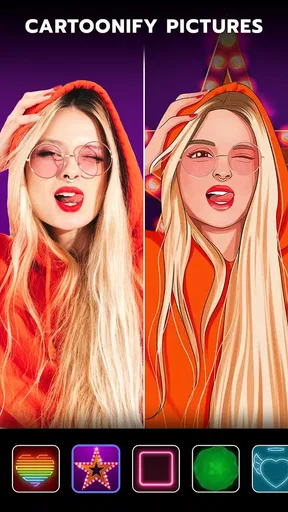
Our Review of Toonapp: Cartoon Photo Editor
 Analysis by Appyee
I approach cartoon-photo apps as a quick creative tool, not a place to keep sensitive pictures or a replacement for a full photo editor. ToonApp: Cartoon Photo Editor is built around turning portraits into stylized images, so the main question for me is whether its playful results and straightforward workflow fit what you want to make. Its developer is Lyrebird Studio, and its photography focus is clear: this is for experimenting with images, not managing a photo library or carefully retouching every detail.
Getting Started with ToonApp
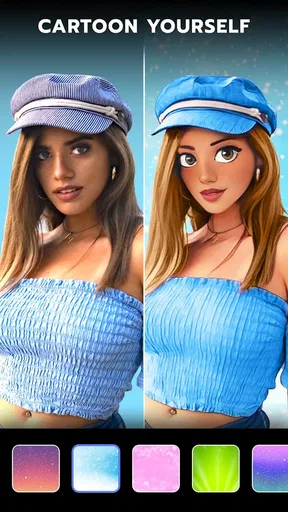
First things first, diving into ToonApp is like stepping into a world where your photos get a magical, animated touch. Downloading and installing the app is a breeze. It’s free to download, rated for Everyone, and the current version is 3.1.58. Once you have it up and running, you’ll be greeted with a user-friendly interface that’s as inviting as it is intuitive. The app has a 4.6 average from around 2.5 million ratings and has been installed over 100 million times, which suggests that this kind of quick portrait transformation has broad appeal.
The app doesn’t waste any time throwing you into the action. You can either snap a new photo or choose one from your gallery. I found that using clear, close-up shots works best, especially if you want those facial features to really pop in cartoon form. For a more reliable result, choose a photo with a visible face, even lighting, and a simple background. A dramatic shadow or hair covering one eye can make a stylized effect look less like you, so I’d keep the original photo handy and compare before deciding which version to share.
Features That Make ToonApp Stand Out
What really sets ToonApp apart is its arsenal of features. From the get-go, you’ll notice a variety of cartoon styles to choose from. Whether you’re into the classic comic book look or a more modern, digital painting vibe, there’s something here to suit your taste. The key is to treat each style as a different interpretation of the photo rather than expecting every filter to preserve the same likeness. A portrait that looks convincing in one treatment may feel exaggerated or less natural in another.
The Big Head Challenge is a personal favorite. It’s a hilarious feature that exaggerates your head size to cartoonish proportions. Trust me, it’s the kind of thing you didn’t know you needed until you tried it. Plus, the app’s AI does a stellar job at auto-detecting the key elements in your photo, like eyes and hair, to ensure the transformation looks spot-on. That automatic approach is handy when you want a quick result, though it also means the app is making creative decisions for you. If an edge around hair or glasses looks odd, trying a different source photo is often more useful than repeatedly adjusting the same image.
For a low-effort everyday use, I’d make a cartoon portrait for a group chat or a casual social post rather than starting with a photo that has to look polished. For example, after taking a clear selfie in daylight, you can test a few styles, keep the version that still feels recognizable, then add a short caption if the image needs context. That small workflow helps avoid spending time decorating a result before you know whether the underlying cartoon treatment works.
Customization and Creativity
Customization is where ToonApp truly shines. You can tweak colors, add backgrounds, and even apply fun filters to give your cartoon a unique twist. The options are surprisingly extensive, allowing you to create something that feels personal and tailored to your style. I’d change one element at a time—first the style, then the background, then color—so it’s easier to see which choice improves the image and which one makes it feel cluttered.
If you’re feeling extra creative, there’s a feature that lets you add text and stickers to your creations. It’s perfect for crafting a quirky caption or giving your cartoon an extra dose of personality. I found myself spending way too much time playing around with these tools, and honestly, I loved every minute of it. Still, decorations can compete with the face for attention. For a profile image or a small avatar, I’d keep text and stickers minimal; for a playful greeting or meme-like post, the extra layers make more sense.
This is also where ToonApp differs from a conventional photo editor. A general editor is usually better when you want precise control over exposure, color correction, cropping, or retouching. ToonApp’s appeal is the recognizable, illustrative transformation and quick embellishment, not a detailed manual workflow. If you want to make a carefully balanced portrait that still looks photographic, a standard editing app is the better starting point. If you want a deliberately stylized result without drawing it yourself, ToonApp is the more direct choice.
Sharing Your Masterpieces
Once you’ve crafted your cartoon masterpiece, ToonApp makes it a cinch to share your work with the world. With direct links to social media platforms like Instagram, Facebook, and WhatsApp, you can show off your creations in just a few taps. Plus, the app allows you to save high-resolution versions of your cartoons, ensuring they look crisp and clear wherever you share them. Before posting, I’d check the saved image at the size you intend to use: a face that reads clearly as a full-screen picture may lose detail when cropped into a small profile circle.
What’s more, ToonApp encourages community interaction. You can explore and get inspired by other users’ creations, which is a nice touch if you’re looking to see how others are using the app’s features. I’d use examples as a source of ideas for style and composition, not as a promise that the same treatment will suit every portrait. Different lighting, pose, and background can change the result considerably.
Photo Choices, Privacy, and Practical Limits
Because the app works with portraits, I’d be deliberate about which images I choose. A casual selfie is a sensible test; a picture containing a child, someone else’s private moment, or identifying details in the background deserves more thought before editing or sharing. The age rating is Everyone, but that doesn’t mean every photo is appropriate to publish. I’d also review the finished image before sending it on, especially if the original includes other people who may not expect their faces to be turned into a cartoon.
I don’t treat a social sharing shortcut as a requirement to post. You can make a cartoon for personal amusement or save a version for later rather than sending it straight to a public account. When an app offers a choice between trying an effect and sharing the result, I prefer to decide about the audience separately. That keeps a quick creative experiment from becoming an accidental public post.
ToonApp is free to download, while in-app purchases range from $2.00 to $69.99 per item. I’d explore the basic experience before buying anything and check the purchase screen carefully so I understand what an item costs and whether it suits how often I expect to use it. If I only want one amusing avatar, paying for extras may not be worthwhile. Someone who regularly makes cartoon portraits may judge that differently, but the value depends on personal use rather than the number of available effects.
There are a few practical trade-offs. Automatic stylization is fast, but it offers less fine-grained control than drawing or editing by hand. A clean close-up gives the app a better chance of making a coherent portrait, while a group photo or an image with a busy background can make the result harder to judge. If the first output feels wrong, I’d switch to a simpler source image before assuming that more stickers or filters will fix it.
Who Will Enjoy It—and Who May Prefer Another Tool
I think ToonApp is a good fit for people who want quick, expressive portraits for chats, casual social posts, or a temporary profile picture. It is especially useful when you have an ordinary selfie and want to see it reimagined without learning illustration software. The different looks encourage experimentation, and the exaggerated option adds a comic result that a standard photo filter may not deliver.
I’d skip it if your priority is subtle retouching, exact control over facial details, or a consistent professional look across a set of images. For those tasks, a conventional photo editor gives more control, while a drawing app is better if you want to shape every line yourself. ToonApp sits between those approaches: it automates much of the transformation and makes playful customization accessible, but the trade-off is that the result can feel more like the app’s interpretation than a carefully directed artwork.
One useful way to decide is to test the same suitable portrait across a few styles before adding anything else. If one version already communicates the mood you want, stop there and save it. If none preserves enough of the person’s likeness, changing the original image or choosing a different editing approach is likely to help more than layering on decorations. That quick check keeps the app fun instead of turning a simple edit into a long search for a perfect filter.
Final Thoughts on ToonApp
All in all, ToonApp: Cartoon Photo Editor is a delightful tool that brings a splash of creativity to your photo editing routine. It’s easy to use, packed with fun features, and offers plenty of ways to personalize a cartoon portrait. Whether you’re a social media fan looking to change up an avatar or just someone who enjoys a silly transformation, this app has a clear use. Its strongest results come from giving it a good portrait and keeping your expectations playful rather than treating it as a precision editor.
So, if you’re ready to experiment with turning familiar photos into illustrated versions, give ToonApp a try and see which style actually suits your image. I’d start with a non-sensitive selfie, compare a few treatments, and decide whether the free experience gives you what you need before considering an in-app purchase. It’s a fun option when you want a quick, shareable cartoon; for careful retouching or exact artistic control, I’d reach for a different kind of editor.
Verdict
Strengths of Toonapp: Cartoon Photo Editor
- Easy-to-use interface for quick cartoon edits.
- Wide variety of cartoon styles and effects.
- High-quality output images for sharing.
- Regular updates with new features.
- No need for advanced editing skills.
Limitations of Toonapp: Cartoon Photo Editor
- Ads can be intrusive during editing.
- Limited features in the free version.
- Occasional app crashes reported.
- Some styles require in-app purchases.
- Large file size may affect storage.
Other Releases by Lyrebird Studio
View All
FaceLab: Future Face Aging App
Photography3.8

ToonApp AI+ Viral Photo Maker
Photography4.4
Similar Picks in This Category
View All
Google Photos
Google LLC4.4

Gallery
Google LLC4.2

Picsart AI Photo Editor, Video
PicsArt, Inc.3.9

B612 AI Photo&Video Editor
SNOW Corporation4.1

BeautyPlus-Selfie Photo Editor
PIXOCIAL TECHNOLOGY (SINGAPORE) PTE. LTD.4.5

Remini - AI Photo Enhancer
Bending Spoons4.1
Frequently Asked Questions
What is ToonApp: Cartoon Photo Editor?
ToonApp is a creative photo editing app that transforms your pictures into cartoon-style images. With its advanced AI technology, you can easily apply various cartoon effects, filters, and backgrounds to your photos, giving them a unique and artistic look. It's perfect for users looking to add a fun twist to their images.
Is ToonApp free to use?
ToonApp offers a free version with basic features, allowing users to explore the app's capabilities. However, to access premium features, such as additional effects and high-resolution exports, a subscription is required. The app provides several subscription plans to choose from, catering to different needs and budgets.
How user-friendly is ToonApp for beginners?
ToonApp is designed with a user-friendly interface, making it accessible for beginners. The app provides easy-to-understand tools and a straightforward navigation system. Users can quickly apply effects and make adjustments without needing extensive editing knowledge, making it ideal for casual users and amateurs alike.
What platforms is ToonApp available on?
ToonApp can be downloaded on both Android and iOS devices. This ensures that users across different mobile platforms can enjoy its features. Simply visit the Google Play Store or the Apple App Store, search for ToonApp, and download it to start transforming your photos into cartoons.
Does ToonApp offer any privacy and security features?
ToonApp takes user privacy seriously, implementing measures to protect personal data. The app requires permissions to access your photos for editing purposes, but it doesn't collect or store data beyond what’s necessary for functionality. Always review the app's privacy policy for detailed information on data handling.
